 LumiDeck
All your Discord bot dashboards in one place
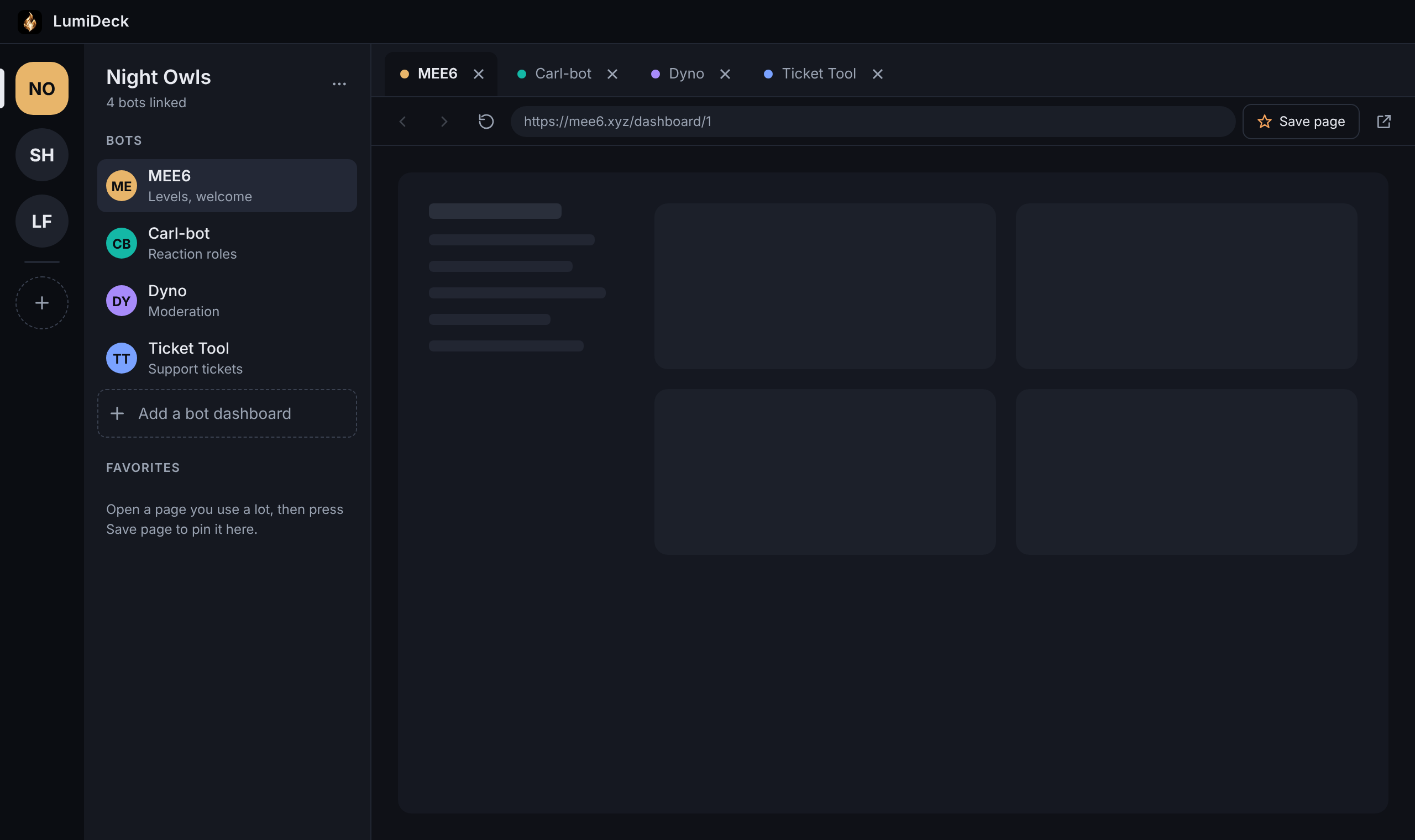
LumiDeck finds the bots in your server and opens every dashboard as a tab, in one app. No more ten browser tabs and ten logins.
Free to add. Works alongside the bots you already use.
Set up in about a minute
-
1
Add LumiDeck to your server
One click from Discord. LumiDeck spots your other bots right away, no setup needed.
-
2
Type /dashboard
LumiDeck gives you a download link and a code that carries your server's bots over.
-
3
Paste it in the app
Every bot shows up as a tab, already filled in. Log in once and LumiDeck remembers.
Everything about your bots, in one window
Auto-detects your bots
LumiDeck finds the bots in your server and knows where their dashboards live.
Every dashboard as a tab
Switch bots with a click or Ctrl+Tab. Each server keeps its own set of tabs.
Log in once
LumiDeck remembers your dashboard logins, so every bot is ready when you open it.
Favorites
Pin the settings you change most, like your welcome message, one click away.
Bot alerts
Get a heads-up in a channel of your choice when a bot joins or leaves your server.
Private by design
LumiDeck never reads your members' messages and asks for only basic permissions.
Free for every server. Premium makes it yours.
Free
Everything you need to manage your bots.
- The LumiDeck app with unlimited servers and bots
- Auto-detect and import from LumiDeck Bot
- /bots, /dashboard and /alerts commands
- Favorites and saved logins
Premium
COMING SOONYour own AI, right in your server.
- Everything in Free
- @LumiDeck AI: ask anything in your server, powered by your own AI key
- Your own locked reply: write what LumiDeck says when someone else pings it
- Chat panel: talk to your server from the LumiDeck app
Questions
Does LumiDeck read my server's messages?
No. LumiDeck finds bots through the roles Discord gives them, and asks only for basic permissions: view channels, send messages and embed links. It never reads members' messages or your member list.
Does it replace my other bots?
No, it brings them together. Your bots keep working exactly as they do now. LumiDeck just opens their real dashboards side by side, so you can manage everything in one place.
What if LumiDeck doesn't recognize one of my bots?
Copy that bot's dashboard link from your browser and paste it into LumiDeck once. It's saved for next time.
Windows says "Windows protected your PC." Is that safe?
Windows shows that for new apps that aren't code-signed yet. Click More info, then Run anyway. Only download LumiDeck from this site.
Is there a Mac or phone version?
LumiDeck is on Windows for now. A phone version is on the way.
Light up your server
Add LumiDeck in one click. Your bots will be waiting in the app.